Wand
Freelance · Design, Advisor
A future-facing UI for Wand.app, an AI art platform built around a frictionless drag-and-drop journey.
Wand is an AI drawing app for iPhone and iPad that takes a rough sketch to a fully rendered image in seconds, and has since been acquired by Krea. I worked on the product as designer and advisor, shaping a UI that keeps the creative flow fast and direct, so the AI behaves like another brush rather than a prompt box.
Artists were the audience, so control mattered more than magic. Every AI step in the interface is visible, reversible and adjustable, and nothing asks the artist to leave the canvas. The imagery below is Wand's own.
Sketch, then render
The core loop is draw, describe, tap. Strokes go straight onto the canvas, the wand renders them in a second or two, and a morph slider decides how far the result can drift from the original lines. Turned down, the render hugs the sketch; turned up, the AI is free to interpret.
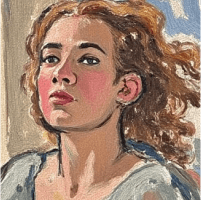 Describe what you want to see
Styles you can drag
I designed styles as objects rather than settings. Dragging one over the canvas previews it in real time before anything is committed, and letting go applies it to the same composition, so trying seven directions takes seconds instead of seven prompts.
Editing just one part
Iteration rarely means starting over. A lasso locks everything outside the selection, and the prompt only acts inside it, so an artist can change the canopy without losing the path they finally got right.
Describe what you want to seeA model of your own
For working artists the most valuable style is their own. A few images of their work go into a private dataset, Wand trains a personal model, and it sits next to the base model as one more option to render with. Models stay private to the artist who trained them.
Dataset 0/6
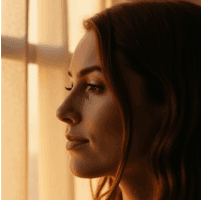 rainbow over a forest path